The inventory system is complex and deserves its own page.
In Star Citizen, you first have your own personal inventory, which you can open with the I key. That’s the stuff you have on you. But what about the rest? On every station you have access to the local inventory. That’s like your personal storage with a lot of space. There you’ll find not just your personal equipment, but also ship components, cargo for missions, what you bought on your last shopping trip and much more.
Station inventory
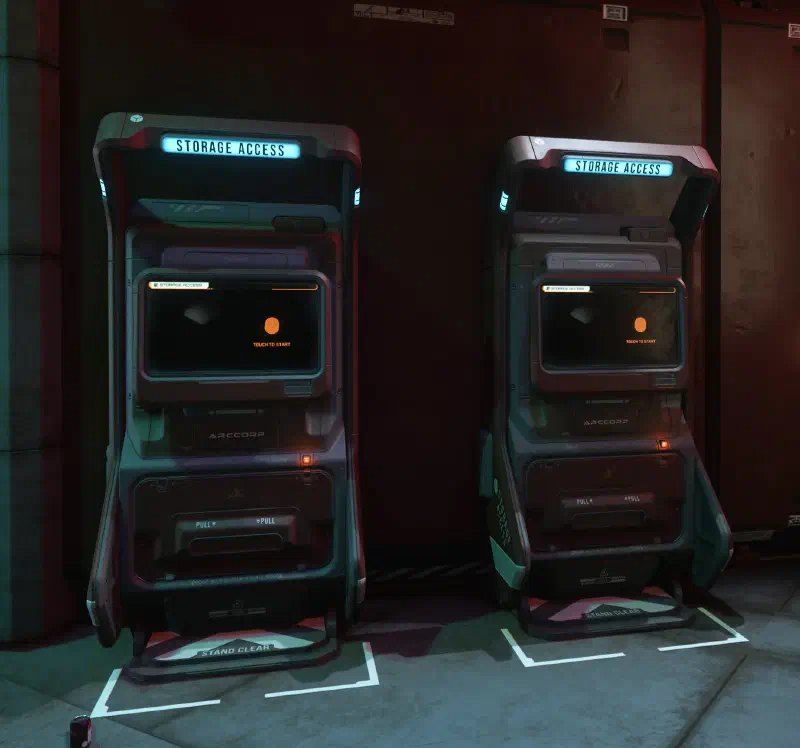
You can access the station inventory from anywhere at that location, meaning from all shops and Storage Access Terminals as well as from your hangar there. But not from other locations and planets. Every city has a persistent inventory like this, and nothing can happen to it there, even if your character dies.
When you shop at that location, your purchases end up in this inventory by default.
It’s also the biggest inventory available to you.
Ship inventory
Ships in Star Citizen can have different inventories. There’s almost always the personal inventory: a hatch or a locker somewhere on or in the ship. That’s where you keep personal items like weapons and armor, food and drinks. The size varies from ship to ship and is several times that of a large backpack.
Some ships also have a weapon rack for small sidearms and Multi-Tools as well as for medium weapons like assault and sniper rifles. There are special racks for heavy weapons like rocket launchers and railguns.
Then there’s the cargo grid: from a tiny 4 SCU in a Drake Cutter to huge freighters like the Hull C with more than 4,600 SCU. In it you can carry your personal containers or buy cargo (or come by it some other way), sell it somewhere else and make a big profit.
The containers lock firmly onto the grid. You can tell by the blue outline when you bring the container close to a cargo grid. Then you switch off the tractor beam and the container is locked onto the ship. Some ships also have space that isn’t officially classified as a cargo grid. You can still cram that space full of containers and sometimes increase your ship’s capacity considerably. But then the containers aren’t secured and can cause damage to the ship.
Personal inventory
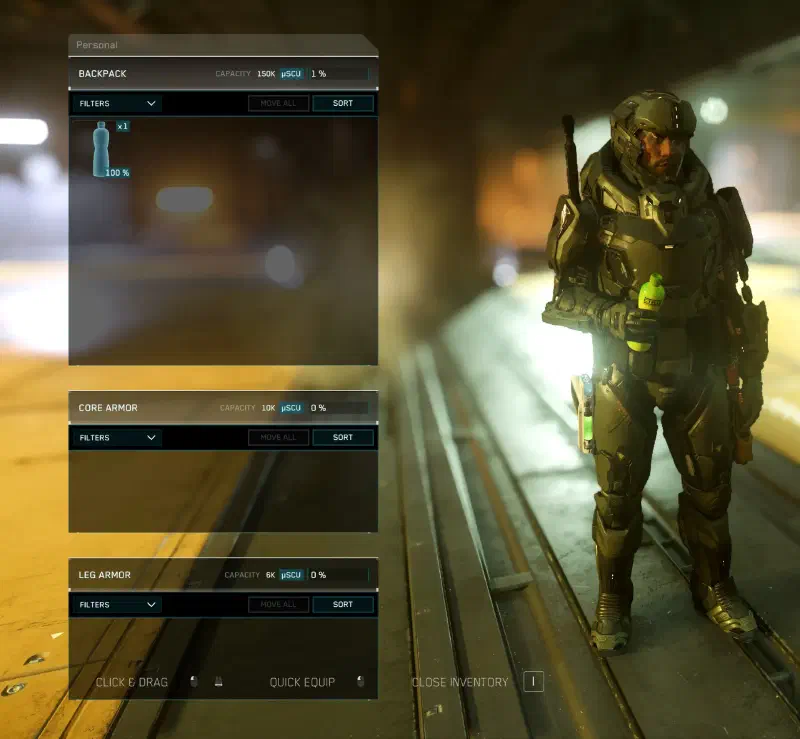
Individual armor pieces like leg or chest armor, as well as backpacks, also have inventory capacity. That’s where you pack a few essentials for your adventures or stow any loot you find. Not much fits into leg and chest armor. I prefer to use it as storage for a few drinks.
Leg armor
Leg armor can carry small sidearms, Multi-Tools or MedGuns on the outside. These items are then active and can be used with the quick-select keys 1 to 6. You can only ever have one sidearm or one MedGun equipped, not both. On top of that, you can equip up to two Multi-Tools and fit them with different attachments, for example a tractor beam and a mining tool.
You can also take up to four different MedPens with you, which give you quick relief for injuries.
Chest armor
You can hang up to two medium and large firearms or even a MaxLift tractor beam on your chest armor. If you’re carrying a backpack, you have to attach these weapons to it instead. The front of the armor has room for spare magazines and grenades or glow sticks. As a rule: the heavier the armor, the more it can carry.
Backpack
The backpack is your main inventory space. You can stow a lot of weapons and gadgets in it. But besides the item’s volume, its dimensions also have to fit in the backpack. A sniper rifle might not take up much space, but it still won’t fit because it’s too long. In addition to the backpack’s internal inventory, you can attach two weapons to the outside, including the really big railguns and the like. And at the bottom of the backpack there’s room for other tools, like mining gadgets.
How the inventories work
All the items you collect on your adventures, buy in the in-game shop or get through real-money purchases in the web store are physicalized. You can store and pick them up at a Storage Access Terminal in your hangar. For bigger objects you have to use the freight elevator. For your ships and vehicles you use the hangar elevator.
The only exception at the moment is the ARGO ATLS. It’s a mech that helps you load cargo. It can be retrieved with both the hangar elevator and the freight elevator. The goal is to switch all ground vehicles over to this. That should make it easier to load vehicles onto ships.
Inventory information
No matter which inventory you look at, the ship inventory, the location’s inventory or your personal inventory: at the top it always shows which one it is, along with its capacity and how much of it you’ve already used.
Moving your inventory
Do you have an item at one station but want to use it somewhere else? Then you have to go get it, load it into your ship by hand or with the tractor beam and fly it off. Small things also fit in your backpack.
Or you buy a container. You can get them in industrial shops, which you’ll find at most refinery stations, in sizes from 1/8 SCU to 8 SCU. You can fit a lot of stuff in them and load it into your ship in one go.
Storage Access Terminal
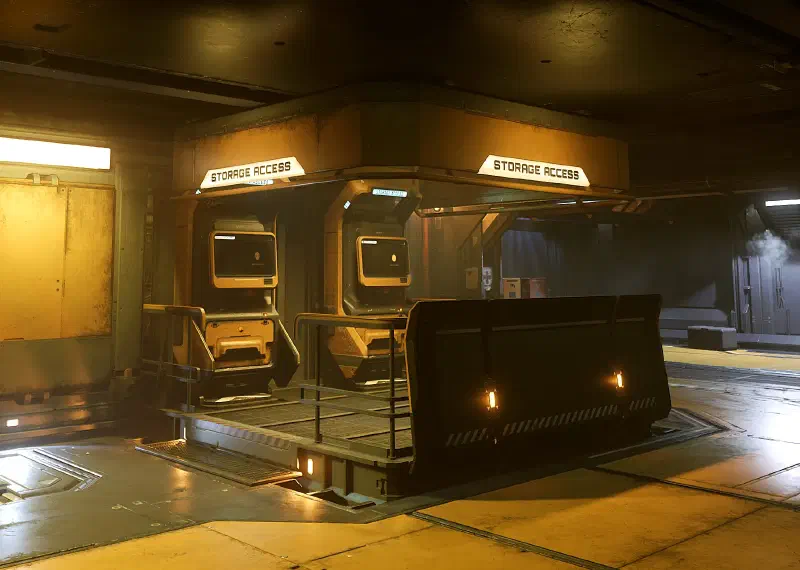
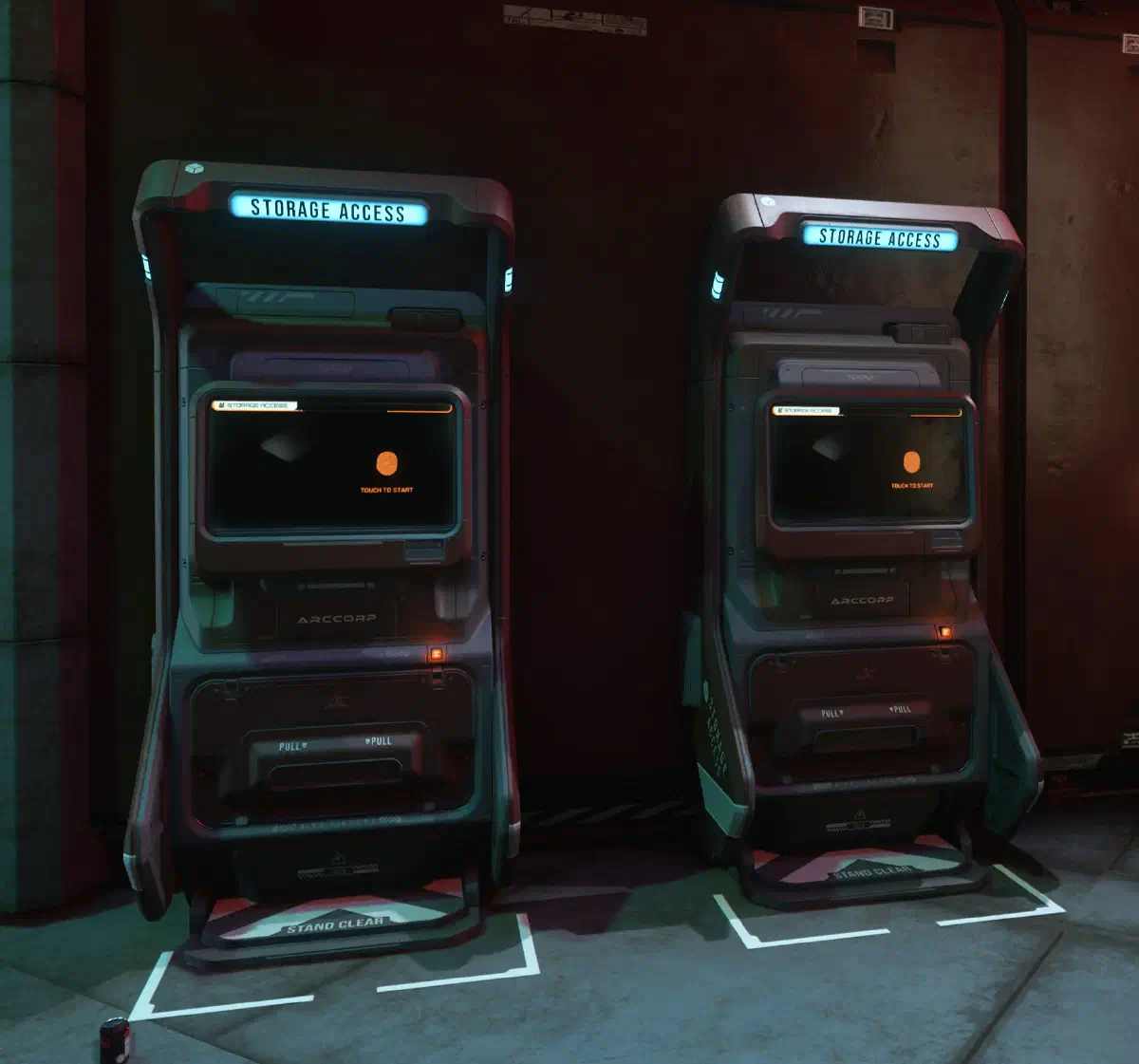
To get to the items you’ve stored in your hangar or drop off your loot from a mission, go to a Storage Access Terminal. They stand against the wall near the passenger elevators. When you press F, both inventories open: your personal inventory (if you have one) on the left and the station inventory on the right. Now you can move items between the two inventories with your mouse, or put armor on and take it off directly on your character in the middle. You also attach weapons directly to your body. It’s quicker with a Double-click, then your character puts on the armor right away or equips the weapon or tool.
Armor
Right now you can only put on armor if you’re wearing an undersuit. And you can only put that on if you’re not wearing any other clothes. If the undersuit won’t go on, check whether you’re still wearing some small item like gloves.
Once you’ve put on the undersuit, you can put on all the armor pieces. Only with chest armor can you also take a backpack along. And don’t forget your helmet! Without it, breathing becomes oh so hard!
Ammo
For ammo, the right-click menu has an Equip all entry. It makes your character put every magazine that fits onto their armor.
Only magazines worn on your armor can be reloaded quickly. If you’ve run out of magazines on your armor and only have some left in your backpack (or inside your armor), reloading takes much longer, because your character first has to dig through their stuff.
Reloading
By the way: your character only throws away magazines that have been completely emptied. Partially emptied magazines stay in your inventory and get loaded again once there are no full magazines left. So you might end up with only three rounds in your magazine after reloading.
To avoid that, you should top up your magazines during breaks in a firefight (known as repooling). The key combination L-Alt + 1 makes your character refill the equipped magazines with your ammo. Only if you have spares in your backpack, of course. If not, it at least combines your magazines, so you have fewer but full magazines. Your total round count stays the same.
Freight elevators
You’ll also find freight elevators in your hangar. At the terminal, which always stands to the left or right of the elevator, you can send the elevator down or up.
When the elevator is down, you can access the station inventory again. But this time the whole thing, including the ship components and cargo crates that you can’t get at the Storage Access Terminal. You can put small items on the elevator too. Once your elevator is loaded, send it up with an arrow button on the terminal. Then the gate opens and you’ll find everything lying on the elevator floor. Pull big things out with your tractor beam, collect the small ones by hand and put them in your backpack.
When you deliver cargo, it works exactly the other way round. You bring the elevator up, unload everything from your ship and send the elevator down. If those are mission items or crates, your contract is complete at that point. If you’re trading, you can now head to the TDD (Trade & Development Division) and sell everything there.
Loot
When you want to loot an enemy or a box you’ve found, a different, clearer menu appears first. There you can equip the “found” stuff yourself with a Left click, or move it into your backpack with L-Shift and Left click.
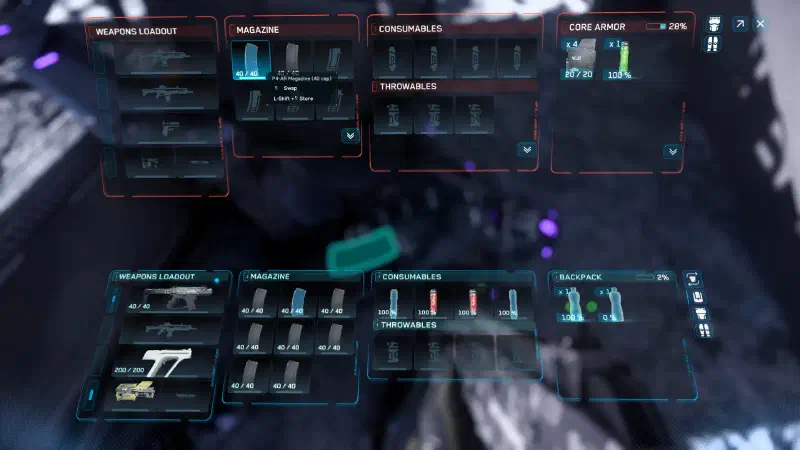
But if you’ve got your eye on the fallen enemy’s armor, you have to switch to the other view by clicking the box with the arrow in the top right of the inventory. Here you can swap armor and weapons as usual with your mouse or by double-clicking.
If you now take your enemy’s chest armor, for example, and put it on, everything hanging on your own armor moves over to the new one. But if you don’t have enough room on the armor after the swap, the rest goes into your backpack, or onto the floor if the backpack is full too.
And if you just want to open your inventory, use the I key. Then you’ll see everything you have on you, and you can use it, equip it from your backpack or throw it away.
To throw something away, drag it with your mouse onto the square icon at the bottom center, the one with the hand on it. Then your character drops it. If you drag it onto your hand, you take it in your hand. What you can do with it after that depends on the item.
What happens after death
When your character dies, the body stays where it is (or floats). You wake up in a medical bed in your new body, possibly very far away from the corpse you left behind. You keep all your equipped items, meaning your armor, weapons and magazines. Everything that was in the internal inventory of your armor and your backpack is still there, with the body. Anyone can loot it now. You too, if you manage to get there fast. Handily, you get a quantum marker on the map for that and can jump straight there.
You do keep your magazines after death, but they can still be looted. So if you’ve “met” a player, you can take their equipped ammo with you too. NPCs can be looted completely, including their armor and weapons.
If your ship is destroyed, its inventory will be scattered among the wreckage. Anyone can collect that too.
If you die within a station’s area of influence, for example from a landing that was a bit too hard, you keep your entire inventory, including what’s in your backpack.
Keybindings
| Key(s) | Action |
|---|---|
I | Open inventory |
F | Interact with inventory terminal or container |
Left click ⇊ | Equip item directly from the local inventory |
L-Shift + Left click | Move item from one inventory to the other |
Middle mouse button | Takedown with equipped knife or unarmed |
L-Shift + Left click | Loot menu: Put item in your own inventory |
Left click | Loot menu: Equip item directly |
⇊ - double tap
Show all keybindings